<?xml version="1.0" encoding="utf-8"?><feed xmlns="http://www.w3.org/2005/Atom" ><generator uri="https://jekyllrb.com/" version="4.4.1">Jekyll</generator><link href="https://www.kdobson.net/feed.xml" rel="self" type="application/atom+xml" /><link href="https://www.kdobson.net/" rel="alternate" type="text/html" /><updated>2026-09-25T11:53:11+01:00</updated><id>https://www.kdobson.net/feed.xml</id><title type="html">Kester Dobson’s Site</title><subtitle>Musings on Ruby, PostgreSQL, geo, engineering</subtitle><author><name>kdobson</name></author><entry><title type="html">Weekly Log for Week 25, 2025</title><link href="https://www.kdobson.net/2025/weekly-log-week-25/" rel="alternate" type="text/html" title="Weekly Log for Week 25, 2025" /><published>2025-06-16T00:00:00+01:00</published><updated>2025-06-16T00:00:00+01:00</updated><id>https://www.kdobson.net/2025/weekly-log-week-25</id><content type="html" xml:base="https://www.kdobson.net/2025/weekly-log-week-25/"><![CDATA[<ul>
  <li>
    <p>Enjoying the updates to “Projects” in ChatGPT.  Whilst you can add instructions to your projects (shared context/prompts for any chat in the project) in the app and web, you have to use the web version to add FILES.  The files then show up in the app, but only as a reference/not editable.  Very straightforward way of creating your own “custom GPT” locally without all the plumbing.  Great use case for general users, but can’t imagine we’ll see function calling in Projects soon due to the technical barriers.  Surely some tool use at some point.  You can change the colour of the project folder icons which is….nice but limited</p>
  </li>
  <li>
    <p>Finding some Copilot suggestions quite stressful these days.  It seems to be getting faster and “better” so you’re a few <code class="language-plaintext highlighter-rouge">tab</code>s away from generating 10 lines of completely irrelevant code.  Should explore ways of limiting prediction to a single line</p>
  </li>
  <li>
    <p>Related, introducing annoying failures due to completions.  A commonly used <code class="language-plaintext highlighter-rouge">Hash</code> is sometimes inverted for access, sometimes not.  Copilot has no idea (partly because the Ruby has no typing?) so shooting myself in the foot</p>
  </li>
  <li>
    <p>It’s mid 2025 and many websites with image uploads STILL DO NOT SUPPORT HEIC.  Main offenders are those requiring copies of ID where you…take a photo with an iPhone.  I think the world would be a better place without HEIC (along with many things), but no excuse for not accepting these files now.</p>

    <p>It’s tempting to convert to the biggest PNG possible…</p>
  </li>
  <li>
    <p>Waiting for a <a href="https://usetrmnl.com/">TRMNL</a> to arrive.  Signed up for developer edition, but not clear if that unlocks “bring your own device” support to put this on old Kindles.  Shipment got to Stansted airport very quickly, now sat for 5 days and counting awaiting…something.  Can’t blame brexit for this one</p>
  </li>
</ul>]]></content><author><name>kdobson</name></author><summary type="html"><![CDATA[Weekly Log for Week 25, 2025]]></summary></entry><entry><title type="html">Ruby on Rails Stack in 2024</title><link href="https://www.kdobson.net/2024/ruby-on-rails-stack-2024/" rel="alternate" type="text/html" title="Ruby on Rails Stack in 2024" /><published>2024-02-14T00:00:00+00:00</published><updated>2024-02-14T00:00:00+00:00</updated><id>https://www.kdobson.net/2024/ruby-on-rails-stack-2024</id><content type="html" xml:base="https://www.kdobson.net/2024/ruby-on-rails-stack-2024/"><![CDATA[<p>Ruby on Rails saw a lot of change through 2023, and there were prevailing winds that seemed to nudge people in to making different Rails architecture choices (“stack”), or at least talking about it.</p>

<p>Some of this was inevitably led by the narratives coming out of 37Signals/DHH.  Whether we’re all drinking the kool-aid or have found consensus on stacks, only time will tell.</p>

<p>Notable changes in community groupthink oribted around:</p>

<ul>
  <li>SQLite being “good enough” for Rails web apps production (I do recognise some irony here)</li>
  <li>Consolidation of technologies for background workers/queueing technology</li>
  <li>Turbo/Stimulus/Hotwire changes and upcoming Turbo 8</li>
  <li>Realising you didn’t <em>have</em> to use Devise</li>
</ul>

<p>All of this relates heavily to a simplification of stack and reducing the number of moving parts.  Not a bad thing.</p>

<h2 id="rails-stack-for-2024">Rails Stack for 2024</h2>

<p>I’ve found most joy writing web apps in <a href="https://www.kdobson.net/2019/ruby-roda-guide-1/">Roda</a> but in recent years have focussed more on Rails.  I can argue both sides of this coin, but I’ve really enjoyed the direction Rails has been going in the past 2 years.</p>

<p>So, what would a <code class="language-plaintext highlighter-rouge">rails new</code> look like for me in 2024?  Starting at with the MVC paradigm…</p>

<h3 id="model-layer">Model Layer</h3>

<ul>
  <li>
    <p>Postgres for the database.  Used it for years and value the <a href="https://modern-sql.com/">modern sql</a> implementations.  If an app was tightly scoped I would consider SQLite more now than I would have done; partly influenced by the community but also SQLite is not as much a “moving part” as Postgres; I would highly value <em>not</em> running a Postgres server (Docker).  The “set and forget” nature of SQLite sounds appealing, but I expect to see some correction in groupthink attitude in the next year (“what do you mean I can only have 1 app server?” and “I have to put SQLite on network storage?”)</p>
  </li>
  <li>
    <p>With multi-database apps I would still <em>want</em> to use <code class="language-plaintext highlighter-rouge">Sequel</code> to bring in a second database (usually analytical data) but I’m forcing myself to stick with mutli-database Rails setups now to keep the developer experience consistent.  In short, use ActiveRecord for everything even if part of me wants to carry on with Sequel</p>
  </li>
  <li>
    <p>Historically I’ve made liberal use of <code class="language-plaintext highlighter-rouge">Storext</code> but it’s becoming worryingly unsupported.  There are other alternatives to represent Postgres JSONB structures as “first class” model fields I wille xplore</p>
  </li>
  <li>
    <p><a href="https://github.com/excid3/prefixed_ids">prefixed_ids</a> for prefixed model identifiers</p>
  </li>
  <li>
    <p><a href="https://github.com/ankane/strong_migrations">Strong Migrations</a> to catch any whoopsies before they happen</p>
  </li>
</ul>

<h3 id="controller-layer">Controller Layer</h3>

<ul>
  <li>
    <p><a href="https://github.com/sunny/actor">ServiceActor</a> to build/manage/control business logic.  The Rails community can discuss service objects all day (year?) long.  This is what I find best.  I also admire and respect <a href="https://dmitrytsepelev.dev/service-objects-anti-patterns">this summary</a> of the whole area</p>
  </li>
  <li>
    <p>I use some of the <a href="https://dry-rb.org/">dry-rb</a> libraries.  Primarly <code class="language-plaintext highlighter-rouge">dry-configurable</code> and <code class="language-plaintext highlighter-rouge">dry-initializer</code> (the latter with <code class="language-plaintext highlighter-rouge">view_component</code>) - I find having a some syntax sugar in classes very helpful</p>
  </li>
  <li>
    <p><a href="https://github.com/lazaronixon/authentication-zero">authentication-zero</a> for authentication.  I am used to having granular control on login (from years of Sinatra/Roda) so prefer this to Devise.  I am also using <code class="language-plaintext highlighter-rouge">passwordless</code> to do away with passwords, but worry this is not a good long term position for a new app</p>
  </li>
  <li>
    <p><a href="https://actionpolicy.evilmartians.io">Action Policy</a> for authorisation.  Beautifully documented and clearly battle tested by the Evil Martians team.  Previously used <code class="language-plaintext highlighter-rouge">Pundit</code>.</p>
  </li>
</ul>

<h3 id="view-layer">View Layer</h3>

<ul>
  <li>
    <p><a href="https://github.com/thoughtbot/high_voltage">high_voltage</a> to easily create/maintain static content pages</p>
  </li>
  <li>
    <p><a href="https://viewcomponent.org/">ViewComponent</a> for reusable components.  I create a parent <code class="language-plaintext highlighter-rouge">ApplicationComponent</code> with <code class="language-plaintext highlighter-rouge">Dry::Initializer</code> to speed up passing of args/params.  Phlex also looks interesting but doesn’t seem compelling enough to <em>change</em> to</p>
  </li>
  <li>
    <p><a href="https://tailwindcss.com/">tailwindcss</a> along with everyone else. Used via <code class="language-plaintext highlighter-rouge">tailwindcss-rails</code> - I do sometimes miss the simpler world of <a href="https://tachyons.io/">Tachyons</a> but the Rails tooling around Tailwind is pretty great now</p>
  </li>
  <li>
    <p><a href="https://daisyui.com/">Daisy UI</a> for pre-made components/theming.  Offers a shortcut to being productive vs pure CSS/tailwind</p>
  </li>
</ul>

<h4 id="reactivity--javascript-framework">Reactivity + Javascript Framework</h4>

<p>I am honestly at a crossroads here (or <code class="language-plaintext highlighter-rouge">stop</code> sign!).  Simplification/reduction in choices is a good thing, but I seriously have my (hot)wires crossed with Rails reactivity at the moment.</p>

<p>I want to keep it as pure Rails as possible which would mean investing in Turbo.  I have done some Stimulus more recently, but really struggle with the paradigms; I have scenarios where I want to return pure JSON to the frontend but am finding myself running this through an additional Rails view template which doesn’t make sense to me.</p>

<p><a href="https://alpinejs.dev/">Alpine.js</a> still has my heart, and provided you turn off preloading/instantclick etc it should work just fine with Rails.  I will experiment in Turbo/Stimulus still, but likely revert to Alpine.js; it’s just so productive.</p>

<p>Moving outside of the MVC paradigm:</p>

<h3 id="background-job-processingjob-queue">Background Job Processing/Job Queue</h3>

<p>Historically I followed the herd here and used Sidekiq.</p>

<p>However, I still don’t fully understand what it is doing.  Clearly this is my own cognitive limitiations as it is an incredibly impressive and successful bit of software.  Even when I use the Sidekiq-provided Rails dashboard I don’t really feel like I am in <em>control</em>.  This isn’t poking Sidekiq, it’s more poking my own brain - I’ve just never quite settled with it nor spent the time to understand it better.</p>

<p>I have had most success with <a href="https://github.com/que-rb/que">que</a> and deployed it for over 5 years and it has dilligently processed jobs.  Over various projects I will have seen Que process millions of jobs (okay, not “Web scale”, but realistically not many of us are working beyond this scale).  Que is still great, but for new projects I have most recently started to use <a href="https://github.com/bensheldon/good_job">GoodJob</a>.</p>

<h4 id="a-note-on-goodjob">A note on GoodJob</h4>

<p>This project is incredible (Postgres only).  Absolute first-class ActiveJob integration, it is inspired by <code class="language-plaintext highlighter-rouge">Delayed::Job</code> and <code class="language-plaintext highlighter-rouge">Que</code> (see above).  I am actively migrating Sidekiq backed queues to GoodJob because:</p>

<ul>
  <li>It is more comfortable/familiar to me to look at Postgres for job management and I would rately exceed a million jobs per day</li>
  <li>The name is brilliant</li>
  <li>ActiveJob adapter; well established, proven</li>
  <li>Lovely built-in dashboard that shows worker activity</li>
  <li>Built in scheduling</li>
  <li>Job batching (this is in Sidekiq Pro) to very easily fan out/saturate the queue with jobs</li>
  <li>Built in deconflicting/duplicate-prevention/concurrency control; basically what you need to stop running the same job with the same arguments at the same time/in quick succession</li>
</ul>

<p>The elephant in the room (not the Postgres elephant!) is Basecamp’s recently released <a href="https://github.com/basecamp/solid_queue">Solid Queue</a>.  I’ve no doubt this is a great Active Job backend and fully expect many people to gravitate towards it.  Equally 37s/Basecamp will be pretty happy with it to be moving their apps to it.  However at the time of writing the README has this snippet:</p>

<blockquote>
  <p>Improvements to logging and instrumentation, a better CLI tool, a way to run within an existing process in “async” mode, unique jobs and recurring, cron-like tasks are coming very soon.</p>
</blockquote>

<p>Lack of in-process async doesn’t bother me too much, but the other parts are pretty important to me so I will continue to use GoodJob.  Ben Sheldon, the author of GoodJob, <a href="https://island94.org/2023/12/solid-queue-first-impressions">wrote about Solid Queue</a> late 2023, an it’s worth a read.  GoodJob was referenced heavily when they built Solid Queue.</p>

<h3 id="deployment">Deployment</h3>

<p>Now exclusively <a href="https://hatchbox.io/">Hatchbox</a>.  There is clearly key person risk in the platform, but it’s been incredible in building load-balanced, resilient apps.</p>

<p>I find <a href="https://kamal-deploy.org/">Kamal</a> intruiging but I lack the energy to learn something new at the moment.  I spent a lot of time Dockerizing/productionising a Rails app and I’m more than happy with Hatchbox’s push-to-deploy.</p>

<h3 id="monitoring">Monitoring</h3>

<p>For production now exclusively <a href="https://www.sentry.io">Sentry</a>.  Recently tried AppSignal and liked it (automatic metrics on Sidekiq workers, servers), but lacked <a href="https://pushover.net/">Pushover</a> support which is important to me.  I’m used to Sentry and don’t want to innovate here too much.</p>

<p>I’ll use <a href="https://github.com/ankane/pghero">pgHero</a> to keep an eye on Postgres performance.  If something is getting out of hand I’ll paste the explain plan into <a href="https://www.pgmustard.com/">pgMustard</a> and almost always just do what it tells me (unless it’s a write heavy setup).</p>

<h2 id="of-course-there-are-more-gems">Of course there are more Gems….</h2>

<p>The above is what forms the core of a new Rails application in 2024.</p>

<p>Other mentions would go to…</p>

<div class="language-plaintext highlighter-rouge"><div class="highlight"><pre class="highlight"><code>ahoy / ahoy email
discard
dotenv
fast_jsonparser
httparty
kramdown
lograge
noticed
pagy

</code></pre></div></div>]]></content><author><name>kdobson</name></author><summary type="html"><![CDATA[Rails stack choices in 2024; GoodJob, Tailwind, importmap]]></summary></entry><entry><title type="html">Sequel Migration File Generator</title><link href="https://www.kdobson.net/2023/sequel-migration-file-generator/" rel="alternate" type="text/html" title="Sequel Migration File Generator" /><published>2023-09-29T00:00:00+01:00</published><updated>2023-09-29T00:00:00+01:00</updated><id>https://www.kdobson.net/2023/sequel-migration-file-generator</id><content type="html" xml:base="https://www.kdobson.net/2023/sequel-migration-file-generator/"><![CDATA[<p>I’m a big fan of <a href="https://github.com/jeremyevans/sequel">Sequel</a> and have been using it for 10+ years.</p>

<p>It comes with a powerful and robust migration toolkit for making changes to your database schema.  The docs clearly pay respect to ActiveRecord migrations which have obviously influenced Sequel’s migrations.</p>

<p>Whilst ActiveRecord migrations (“rails db:migrate”) are often used with all the Rails trimmings (generating models will generate a migration etc), Sequel’s are often found in more varied projects.</p>

<p>If you’re familiar with Sequel migrations, you can <a href="#generating-sequel-migrations">skip to the end</a> to find the Rake task that will help speed up the generation of new migration files!</p>

<h3 id="calling-sequel-migrations">Calling Sequel Migrations</h3>

<p>Based primarily on Sequel’s main commiter’s work (Jeremy Evans), you can start using Sequel migrations by creating a <code class="language-plaintext highlighter-rouge">db/migrations</code> directory and dropping some Ruby files in there with the correct Sequel DSL scaffolding.</p>

<p>An example migration would be named <code class="language-plaintext highlighter-rouge">001_create_table.rb</code> and could look something like this:</p>

<div class="language-ruby highlighter-rouge"><div class="highlight"><pre class="highlight"><code><span class="no">Sequel</span><span class="p">.</span><span class="nf">migration</span> <span class="k">do</span>
  <span class="n">change</span> <span class="k">do</span>
    <span class="n">create_table</span><span class="p">(</span><span class="ss">:my_table</span><span class="p">)</span> <span class="k">do</span>
      <span class="no">Integer</span> <span class="ss">:id</span><span class="p">,</span> <span class="ss">primary_key: </span><span class="kp">true</span>
      <span class="no">String</span> <span class="ss">:key</span><span class="p">,</span> <span class="ss">null: </span><span class="kp">false</span>
      <span class="no">String</span> <span class="ss">:value</span><span class="p">,</span> <span class="ss">null: </span><span class="kp">false</span>

      <span class="n">index</span> <span class="ss">:key</span><span class="p">,</span> <span class="ss">unique: </span><span class="kp">true</span>
    <span class="k">end</span>
<span class="k">end</span>
</code></pre></div></div>

<p>This is detailed in <a href="https://sequel.jeremyevans.net/rdoc/files/doc/migration_rdoc.html">depth in the docs</a>.</p>

<p>However, you have to dig around a bit to learn how to call the migrations.  The below Rake namespace/tasks are where I’ve ended up (most of it lifted from Jeremy’s projects/examples).  The <code class="language-plaintext highlighter-rouge">migrate</code> lambda makes it easily callable from 3 tasks and keeps it fairly DRY.</p>

<p>The <code class="language-plaintext highlighter-rouge">rollback</code> task will find the latest sucsessful migration in the database, then wind it back one step.  The <code class="language-plaintext highlighter-rouge">reset</code> task will tear the whole DB down and rebuild it up.  Careful?</p>

<div class="language-ruby highlighter-rouge"><div class="highlight"><pre class="highlight"><code><span class="n">namespace</span> <span class="ss">:db</span> <span class="k">do</span>
  <span class="c1"># Ensure DB is declared</span>
  <span class="n">migrate</span> <span class="o">=</span> <span class="nb">lambda</span> <span class="k">do</span> <span class="o">|</span><span class="n">version</span><span class="o">|</span>
    <span class="no">Sequel</span><span class="p">.</span><span class="nf">extension</span> <span class="ss">:migration</span>
    <span class="no">DB</span><span class="p">.</span><span class="nf">loggers</span> <span class="o">&lt;&lt;</span> <span class="no">Logger</span><span class="p">.</span><span class="nf">new</span><span class="p">(</span><span class="vg">$stdout</span><span class="p">)</span> <span class="k">if</span> <span class="no">DB</span><span class="p">.</span><span class="nf">loggers</span><span class="p">.</span><span class="nf">empty?</span>
    <span class="no">Sequel</span><span class="o">::</span><span class="no">Migrator</span><span class="p">.</span><span class="nf">run</span><span class="p">(</span><span class="no">DB</span><span class="p">,</span> <span class="s2">"db/migrations"</span><span class="p">,</span> <span class="ss">target: </span><span class="n">version</span><span class="p">)</span>
  <span class="k">end</span>

  <span class="n">task</span> <span class="ss">:migrate</span> <span class="k">do</span>
    <span class="n">migrate</span><span class="p">.</span><span class="nf">call</span><span class="p">(</span><span class="kp">nil</span><span class="p">)</span>
  <span class="k">end</span>

  <span class="n">task</span> <span class="ss">:rollback</span> <span class="k">do</span>
    <span class="n">latest</span> <span class="o">=</span> <span class="no">DB</span><span class="p">[</span><span class="ss">:schema_info</span><span class="p">].</span><span class="nf">select_map</span><span class="p">(</span><span class="ss">:version</span><span class="p">).</span><span class="nf">first</span>
    <span class="n">migrate</span><span class="p">.</span><span class="nf">call</span><span class="p">(</span><span class="n">latest</span> <span class="o">-</span> <span class="mi">1</span><span class="p">)</span>
  <span class="k">end</span>

  <span class="n">task</span> <span class="ss">:reset</span> <span class="k">do</span>
    <span class="n">migrate</span><span class="p">.</span><span class="nf">call</span><span class="p">(</span><span class="mi">0</span><span class="p">)</span>
    <span class="no">Sequel</span><span class="o">::</span><span class="no">Migrator</span><span class="p">.</span><span class="nf">run</span><span class="p">(</span><span class="no">DB</span><span class="p">,</span> <span class="s2">"db/migrations"</span><span class="p">)</span>
  <span class="k">end</span>
<span class="k">end</span>
</code></pre></div></div>

<p>These can be used with familar command calls:</p>

<div class="language-bash highlighter-rouge"><div class="highlight"><pre class="highlight"><code>rake db:migrate
rake db:rollback
<span class="c"># rake db:reset # (commented, just in case!)</span>
</code></pre></div></div>

<p>If there’s no loggers already on <code class="language-plaintext highlighter-rouge">DB</code>, this will log the actions to $stdout and you can see what it’s doing.</p>

<h3 id="generating-sequel-migrations">Generating Sequel Migrations</h3>

<p>I’ve started writing some boilerplate tasks to also generate Sequel migration files.  It helps with the sequencing and reduces copy-pasta when you need a new migration.</p>

<p>I typically put this under <code class="language-plaintext highlighter-rouge">g</code> namespace for familiarity, but it is a little different to the <code class="language-plaintext highlighter-rouge">rails g ...</code> commands you may be used to.</p>

<div class="language-ruby highlighter-rouge"><div class="highlight"><pre class="highlight"><code>
<span class="n">namespace</span> <span class="ss">:g</span> <span class="k">do</span>
  <span class="n">desc</span> <span class="s2">"Generates migration file; Generate with `rake g:migration[migration_name]"</span>
  <span class="n">task</span> <span class="ss">:migration</span><span class="p">,</span> <span class="p">[</span><span class="ss">:name</span><span class="p">]</span> <span class="k">do</span> <span class="o">|</span><span class="n">t</span><span class="p">,</span> <span class="n">args</span><span class="o">|</span>
    <span class="n">prefixes</span> <span class="o">=</span> <span class="no">Dir</span><span class="p">[</span><span class="s2">"db/migrations/*.rb"</span><span class="p">].</span><span class="nf">map</span> <span class="p">{</span> <span class="o">|</span><span class="n">f</span><span class="o">|</span> <span class="no">File</span><span class="p">.</span><span class="nf">basename</span><span class="p">(</span><span class="n">f</span><span class="p">).</span><span class="nf">partition</span><span class="p">(</span><span class="s2">"_"</span><span class="p">).</span><span class="nf">first</span> <span class="p">}.</span><span class="nf">map</span> <span class="p">{</span> <span class="o">|</span><span class="n">s</span><span class="o">|</span> <span class="no">Integer</span><span class="p">(</span><span class="n">s</span><span class="p">,</span> <span class="mi">10</span><span class="p">)</span> <span class="p">}</span>
    <span class="n">next_prefix</span> <span class="o">=</span> <span class="p">((</span><span class="n">prefixes</span><span class="p">.</span><span class="nf">empty?</span> <span class="p">?</span> <span class="mi">0</span> <span class="p">:</span> <span class="n">prefixes</span><span class="p">.</span><span class="nf">max</span><span class="p">)</span> <span class="o">+</span> <span class="mi">1</span><span class="p">).</span><span class="nf">to_s</span><span class="p">.</span><span class="nf">rjust</span><span class="p">(</span><span class="mi">3</span><span class="p">,</span> <span class="s2">"0"</span><span class="p">)</span>

    <span class="n">file_name</span> <span class="o">=</span> <span class="s2">"</span><span class="si">#{</span><span class="n">next_prefix</span><span class="si">}</span><span class="s2">_</span><span class="si">#{</span><span class="n">args</span><span class="p">[</span><span class="ss">:name</span><span class="p">].</span><span class="nf">to_s</span><span class="p">.</span><span class="nf">downcase</span><span class="p">.</span><span class="nf">tr</span><span class="p">(</span><span class="s2">" "</span><span class="p">,</span> <span class="s2">"_"</span><span class="p">)</span><span class="si">}</span><span class="s2">.rb"</span>
    <span class="n">file_path</span> <span class="o">=</span> <span class="no">File</span><span class="p">.</span><span class="nf">join</span><span class="p">(</span><span class="s2">"db/migrations"</span><span class="p">,</span> <span class="n">file_name</span><span class="p">)</span>
    <span class="no">File</span><span class="p">.</span><span class="nf">open</span><span class="p">(</span><span class="n">file_path</span><span class="p">,</span> <span class="s2">"w"</span><span class="p">)</span> <span class="k">do</span> <span class="o">|</span><span class="n">f</span><span class="o">|</span>
      <span class="n">f</span><span class="p">.</span><span class="nf">puts</span> <span class="s2">"Sequel.migration do
  change do
  end
end"</span>
    <span class="k">end</span>
    <span class="nb">puts</span> <span class="s2">"Created </span><span class="si">#{</span><span class="n">file_path</span><span class="si">}</span><span class="s2">"</span>
    <span class="c1"># or change to `code #{file_path}` if you have a similar env to me and want to open the file!</span>
  <span class="k">end</span>
<span class="k">end</span>
</code></pre></div></div>

<p>You can then easily create a new migration file with:</p>

<div class="language-bash highlighter-rouge"><div class="highlight"><pre class="highlight"><code>rake g:migration[create table]
</code></pre></div></div>

<p>…granted the template is pretty basic, but it gets you going pretty quickly.  The task looks at all existing migrations, finds the next increment and creates a suitable named filed for you.</p>

<p>Note this only works with the incrementing integer approach vs. the timestamp approach.  You can easily tweak this to generate Sequel compatible timestamp-based migrations, but I’ve not personally had the need.  You can read up on the <a href="https://sequel.jeremyevans.net/rdoc/files/doc/migration_rdoc.html#label-Two+separate+migrators">pros and cons of each here</a>.</p>]]></content><author><name>kdobson</name></author><summary type="html"><![CDATA[Rake task to generate Sequel Migration Files]]></summary></entry><entry><title type="html">Rails 7 + Tailwind not Reloading in Dev</title><link href="https://www.kdobson.net/2023/rails-7-tailwind-not-reloading-in-dev/" rel="alternate" type="text/html" title="Rails 7 + Tailwind not Reloading in Dev" /><published>2023-09-29T00:00:00+01:00</published><updated>2023-09-29T00:00:00+01:00</updated><id>https://www.kdobson.net/2023/rails-7-tailwind-not-reloading-in-dev</id><content type="html" xml:base="https://www.kdobson.net/2023/rails-7-tailwind-not-reloading-in-dev/"><![CDATA[<p>This week I learnt, the hard way, <a href="https://github.com/rails/tailwindcss-rails/issues/119#issuecomment-1113970277">about this</a>.</p>

<p>If you’ve got a Rails 7 stack with <code class="language-plaintext highlighter-rouge">tailwindcss-rails</code> purring away, you may be suddently affronted by finding it no longer watching your file changes and regenerating the assets for you.</p>

<p>This conicided with my own issues debugging Stimulus config with importmaps. I had done some <code class="language-plaintext highlighter-rouge">rake assets:precompile</code> runs to try and inspect the built assets.</p>

<p>As the link to DHH’s comment above shows, if precompiled assets exist, they will be used by Rails instead of the assets being generated via the <code class="language-plaintext highlighter-rouge">bin/rails tailwindcss:watch</code> command (in dev, too).</p>

<p>The fix? <code class="language-plaintext highlighter-rouge">rake assets:clobber</code> and restart the Tailwind watcher and Rails server and you should be good to go.</p>]]></content><author><name>kdobson</name></author><summary type="html"><![CDATA[Rails uses precompiled assets if they exist, even in development. Clobber them to get the watched ones working]]></summary></entry><entry><title type="html">Considering Performance with PostgreSQL Partitioning</title><link href="https://www.kdobson.net/2023/considering-performance-with-PostgreSQL-partitioning/" rel="alternate" type="text/html" title="Considering Performance with PostgreSQL Partitioning" /><published>2023-08-01T00:00:00+01:00</published><updated>2023-08-01T00:00:00+01:00</updated><id>https://www.kdobson.net/2023/considering-performance-with-PostgreSQL-partitioning</id><content type="html" xml:base="https://www.kdobson.net/2023/considering-performance-with-PostgreSQL-partitioning/"><![CDATA[<p>A few weeks ago, an <a href="https://www.cybertec-postgresql.com/en/killing-performance-with-postgresql-partitioning/">article on Cybertec</a> was published that warned readers to be aware of the <code class="language-plaintext highlighter-rouge">SELECT</code> performance impact of using partitions in PostgreSQL.</p>

<p>Having done a bit of work with partitions to build capability for <a href="https://www.bymetric.com">Bymetric</a>, something about the article irked me.  There’s no arguging that it highlights a performance degredation when querying for a indexed value in a single table vs. a partitioned table, but it seems so far from practical use cases.</p>

<p>I accept it’s an academic point made to illustrate performance, but it runs the risk of turning people away from partitioning.</p>

<p>In the article, the poorly performing partioned table is set up such that:</p>

<ul>
  <li>The partitions are segmented by a modulus/remainder hash function on the serial ID column</li>
  <li>The <code class="language-plaintext highlighter-rouge">val</code> column is a randomly generated integer that gets indexed (this is what gets queried)</li>
  <li>The partitioning strategy is purely to split data volumes equally, not based on a practical use case</li>
</ul>

<p>There is no <code class="language-plaintext highlighter-rouge">WHERE</code> query to help the query planner find the relevant partition, and because the partition strategy is over the <code class="language-plaintext highlighter-rouge">id</code> column versus the <code class="language-plaintext highlighter-rouge">val</code> column it’s got no chance.</p>

<p>Theer is a common need to quickly lookup a single row using an identifier</p>]]></content><author><name>kdobson</name></author><summary type="html"><![CDATA[A few weeks ago, an article on Cybertec was published that warned readers to be aware of the SELECT performance impact of using partitions in PostgreSQL.]]></summary></entry><entry><title type="html">Roda Route Splitting over Multiple Files</title><link href="https://www.kdobson.net/2022/roda-ruby-route-splitting/" rel="alternate" type="text/html" title="Roda Route Splitting over Multiple Files" /><published>2022-12-16T00:00:00+00:00</published><updated>2022-12-16T00:00:00+00:00</updated><id>https://www.kdobson.net/2022/roda-ruby-route-splitting</id><content type="html" xml:base="https://www.kdobson.net/2022/roda-ruby-route-splitting/"><![CDATA[<p><a href="http://roda.jeremyevans.net/">Roda</a> is my favourite Ruby Framework, but one thing that initially vexxed me was route file structuring and respecting the powerful routing tree.</p>

<p>Some of my early Roda apps had pretty heavy route files which makes them less pleasant to work in.</p>

<p>More recently I’ve developed a better understanding of both the <code class="language-plaintext highlighter-rouge">hash_branches</code> and <code class="language-plaintext highlighter-rouge">hash_branch_view_subdir</code> plugins.  They both do very similar things, but the latter adds a bit of magic to have your views rendered out of a matching folder structure.</p>

<div class="bg-orange-200 text-center p-2">
<b>TL;DR</b> you can grab a basic setup from this <a href="https://github.com/kez/roda-branch-routing">Github repo</a> if you know what you're doing.
</div>

<h2 id="roda-vs-rails-routing">Roda vs Rails Routing</h2>

<p>Admittedly, I don’t fully understand the power of the Roda routing tree but, even still, I prefer it to the Rails way.</p>

<p>Rails offers a lot of convention over configuration, but peversely (to me) requires you to explicitly declare routing to controller actions (beyond the standard REST route conventions).</p>

<p>Roda lets you define routing via the DSL directly which I prefer (though this has some disadvantages when working in an IDE or with symbol navigation).</p>

<h2 id="route-splitting">Route splitting</h2>

<p>Once an application gets to a certain level of complexity (or even before!), splitting routes into separate files makes a lot of sense.</p>

<p>There is helpful advice <a href="http://roda.jeremyevans.net/rdoc/files/doc/conventions_rdoc.html#label-Really+Large+Applications">in the docs</a> about structuring large applications, but I wanted to explicitly illustrate an approach to how you can split the routes up.</p>

<p>The concept is also detailed in the <a href="https://fiachetti.gitlab.io/mastering-roda/#hash_branches">Mastering Roda</a> book, but I find it helpful to write it all out explicitly for my own understanding.</p>

<p>In our basic example, we’ll create a very basic application with the following file structure.</p>

<div class="language-text highlighter-rouge"><div class="highlight"><pre class="highlight"><code>.
├── Gemfile
├── Gemfile.lock
├── config.ru
└── routes
    └── api
        ├── v1.rb
        └── v2
            ├── teams.rb
            └── users.rb
</code></pre></div></div>

<p>You can get most of the way by running…</p>

<div class="language-text highlighter-rouge"><div class="highlight"><pre class="highlight"><code>bundle init &amp;&amp; bundle add roda rackup
mkdir -p routes/api/v2
touch config.ru
touch routes/api/v1.rb
touch routes/api/v2/teams.rb
touch routes/api/v2/users.rb
</code></pre></div></div>

<p>…which will get the 2 gems installed we need and set up the couple of files to demonstrate route file splitting.</p>

<h3 id="application-structure">Application Structure</h3>

<p>We’ll make use of the <code class="language-plaintext highlighter-rouge">hash_branch</code> plugin along with the <code class="language-plaintext highlighter-rouge">empty_root</code> plugin in our application and declare an <code class="language-plaintext highlighter-rouge">App</code> class in <code class="language-plaintext highlighter-rouge">config.ru</code>:</p>

<div class="language-ruby highlighter-rouge"><div class="highlight"><pre class="highlight"><code><span class="c1"># config.ru</span>
<span class="nb">require</span> <span class="s1">'bundler'</span>
<span class="no">Bundler</span><span class="p">.</span><span class="nf">require</span>

<span class="k">class</span> <span class="nc">App</span> <span class="o">&lt;</span> <span class="no">Roda</span>
  <span class="n">plugin</span> <span class="ss">:hash_branches</span>
  <span class="n">plugin</span> <span class="ss">:empty_root</span>

  <span class="c1"># Use this one if you're going to render views</span>
  <span class="c1"># plugin :hash_branch_view_subdir</span>

  <span class="no">Dir</span><span class="p">[</span><span class="s1">'routes/**/*.rb'</span><span class="p">].</span><span class="nf">each</span> <span class="p">{</span> <span class="o">|</span><span class="n">file</span><span class="o">|</span> <span class="nb">require_relative</span> <span class="n">file</span> <span class="p">}</span>

  <span class="n">hash_branch</span><span class="p">(</span><span class="s1">'api'</span><span class="p">)</span> <span class="k">do</span> <span class="o">|</span><span class="n">r</span><span class="o">|</span>
    <span class="n">r</span><span class="p">.</span><span class="nf">hash_branches</span><span class="p">(</span><span class="s1">'api'</span><span class="p">)</span>
  <span class="k">end</span>

  <span class="n">hash_branch</span><span class="p">(</span><span class="s1">'api'</span><span class="p">,</span> <span class="s1">'v2'</span><span class="p">)</span> <span class="k">do</span> <span class="o">|</span><span class="n">r</span><span class="o">|</span>
    <span class="n">r</span><span class="p">.</span><span class="nf">hash_branches</span><span class="p">(</span><span class="s1">'v2'</span><span class="p">)</span>
  <span class="k">end</span>

  <span class="n">route</span> <span class="k">do</span> <span class="o">|</span><span class="n">r</span><span class="o">|</span>
    <span class="n">r</span><span class="p">.</span><span class="nf">hash_branches</span>
    <span class="s1">'Hello World!'</span>
  <span class="k">end</span>
<span class="k">end</span>

<span class="n">run</span> <span class="no">App</span>
</code></pre></div></div>

<p>What’s happening here?  We’re importing a few files - <code class="language-plaintext highlighter-rouge">v1.rb</code> will be a basic route and the <code class="language-plaintext highlighter-rouge">v2/</code> routes will be further split.</p>

<p>We’re telling Roda to use <code class="language-plaintext highlighter-rouge">hash_branches</code> on the <code class="language-plaintext highlighter-rouge">/api</code> route request and then <em>additionally</em> on the <code class="language-plaintext highlighter-rouge">/api/v2</code> route request.  Roda is going to look for a matching <code class="language-plaintext highlighter-rouge">hash_branch</code> block in the imported route files to find out where to dispatch to (layman’s explanation).</p>

<h3 id="simple-route">Simple Route</h3>

<p>So <code class="language-plaintext highlighter-rouge">v1.rb</code> is going to contain all our routes (“actions”) for requests to the <code class="language-plaintext highlighter-rouge">/api/v1</code> path:</p>

<div class="language-ruby highlighter-rouge"><div class="highlight"><pre class="highlight"><code><span class="c1"># routes/v1.rb</span>
<span class="k">class</span> <span class="nc">App</span>
  <span class="n">plugin</span> <span class="ss">:json</span><span class="p">,</span> <span class="ss">classes: </span><span class="p">[</span><span class="no">Array</span><span class="p">,</span> <span class="no">Hash</span><span class="p">]</span>

  <span class="n">hash_branch</span><span class="p">(</span><span class="s1">'api'</span><span class="p">,</span> <span class="s1">'v1'</span><span class="p">)</span> <span class="k">do</span> <span class="o">|</span><span class="n">r</span><span class="o">|</span>
    <span class="n">r</span><span class="p">.</span><span class="nf">on</span> <span class="s1">'users'</span> <span class="k">do</span>
      <span class="n">r</span><span class="p">.</span><span class="nf">get</span> <span class="k">do</span>
        <span class="p">{</span> <span class="ss">response: </span><span class="s1">'api/v1/users'</span> <span class="p">}</span>
      <span class="k">end</span>
    <span class="k">end</span>
    
    <span class="n">r</span><span class="p">.</span><span class="nf">root</span> <span class="k">do</span>
      <span class="p">{</span> <span class="ss">response: </span><span class="s1">'api/v1'</span> <span class="p">}</span>
    <span class="k">end</span>
  <span class="k">end</span>
<span class="k">end</span>
</code></pre></div></div>

<p>Ths will render JSON objects for the different paths (<code class="language-plaintext highlighter-rouge">r.root</code> matches against <code class="language-plaintext highlighter-rouge">/api/v1</code>).  The <code class="language-plaintext highlighter-rouge">users</code> branch shows how you can nest another branch and return a response for <code class="language-plaintext highlighter-rouge">/api/v1/users</code>).  This might be good for a small application.</p>

<h3 id="more-complex-route">More complex route</h3>

<p>Syntactically our two <code class="language-plaintext highlighter-rouge">v2</code> files are very similar to our <code class="language-plaintext highlighter-rouge">v1</code> file, but each file will handle a sub-branch only as we declared in <code class="language-plaintext highlighter-rouge">config.ru</code> that we want to <code class="language-plaintext highlighter-rouge">branch</code> on <code class="language-plaintext highlighter-rouge">/api/v2</code> as well.</p>

<p>Hopefully this demonstrates how you could put a single REST resource in a single file instead of having one route file with all your resources.</p>

<div class="language-ruby highlighter-rouge"><div class="highlight"><pre class="highlight"><code><span class="c1"># routes/api/v2/teams.rb</span>
<span class="k">class</span> <span class="nc">App</span>
  <span class="n">plugin</span> <span class="ss">:json</span><span class="p">,</span> <span class="ss">classes: </span><span class="p">[</span><span class="no">Array</span><span class="p">,</span> <span class="no">Hash</span><span class="p">]</span>

  <span class="n">hash_branch</span><span class="p">(</span><span class="s1">'v2'</span><span class="p">,</span> <span class="s1">'teams'</span><span class="p">)</span> <span class="k">do</span> <span class="o">|</span><span class="n">r</span><span class="o">|</span>
    <span class="n">r</span><span class="p">.</span><span class="nf">root</span> <span class="k">do</span>
      <span class="p">{</span><span class="ss">response: </span><span class="s1">'api/v2/teams'</span><span class="p">}</span>
    <span class="k">end</span>
  <span class="k">end</span>
<span class="k">end</span>
</code></pre></div></div>

<p>…and then a second branch for completeness…</p>

<div class="language-ruby highlighter-rouge"><div class="highlight"><pre class="highlight"><code><span class="c1"># routes/api/v2/users.rb</span>
<span class="k">class</span> <span class="nc">App</span>
  <span class="n">plugin</span> <span class="ss">:json</span><span class="p">,</span> <span class="ss">classes: </span><span class="p">[</span><span class="no">Array</span><span class="p">,</span> <span class="no">Hash</span><span class="p">]</span>

  <span class="n">hash_branch</span><span class="p">(</span><span class="s1">'v2'</span><span class="p">,</span> <span class="s1">'users'</span><span class="p">)</span> <span class="k">do</span> <span class="o">|</span><span class="n">r</span><span class="o">|</span>
    <span class="n">r</span><span class="p">.</span><span class="nf">root</span> <span class="k">do</span>
      <span class="p">{</span><span class="ss">response: </span><span class="s1">'api/v2/users'</span><span class="p">}</span>
    <span class="k">end</span>
  <span class="k">end</span>
<span class="k">end</span>
</code></pre></div></div>

<p>I’ve personally found this a nice way to manage routes over files.  As with most things engineering it comes down to pragmatism and preferences (either personal or team).  Hopefully this gives a bit of insight as to how you might manage a larger Roda project.</p>

<p>If you run into any issues, the <a href="https://github.com/jeremyevans/roda/discussions">Roda Github Discussions</a> is the best first port of call.</p>

<div class="bg-orange-200 text-center p-2">
<b>TL;DR</b> you can grab a basic setup from this <a href="https://github.com/kez/roda-branch-routing">Github repo</a> if you know what you're doing.
</div>]]></content><author><name>kdobson</name></author><summary type="html"><![CDATA[Worked example of how to split routes over multiple files in larger Roda projects]]></summary></entry><entry><title type="html">Roda and Tailwind JIT HOWTO</title><link href="https://www.kdobson.net/2021/roda-tailwind-jit/" rel="alternate" type="text/html" title="Roda and Tailwind JIT HOWTO" /><published>2021-11-25T00:00:00+00:00</published><updated>2021-11-25T00:00:00+00:00</updated><id>https://www.kdobson.net/2021/roda-tailwind-jit</id><content type="html" xml:base="https://www.kdobson.net/2021/roda-tailwind-jit/"><![CDATA[<p>I’ve built a few <a href="http://roda.jeremyevans.net/">Roda</a> applications, but more recently been working with Rails (professionally and personally).</p>

<p>Whilst I enjoy working with Rails, the simplicity and speed of Roda still appeals to me and I was back tinkering last weekend.  Since I last Roda, however, <a href="https://tailwindcss.com/">Tailwind</a> has burst on to the scene and I would struggle to build anything without it</p>

<p>I couldn’t find much documented about getting Roda setup with Tailwind.  I have an older application using this combo, but it hasn’t been brought up to date with Tailwind’s JIT mode.  After getting a new application up and running with this super fast and powerful coombo, I hope others may benefit from a write up.</p>

<div class="bg-orange-200 text-center p-2">
<b>TL;DR</b> you can grab a basic setup from this <a href="https://github.com/kez/roda-tailwind-jit">Github repo</a> if you know what you're doing.
</div>

<h2 id="what-youll-need">What you’ll need</h2>

<p><em>I don’t know enough about the JS ecosystem to advise; I typically just <code class="language-plaintext highlighter-rouge">yarn add</code> and off we go….</em></p>

<ul>
  <li>Ruby 3.0.2 (or anything 2.7+ really, but the version doesn’t matter)</li>
  <li>Yarn to install Tailwind (see <a href="https://tailwindcss.com/docs/installation">here</a> for more)</li>
</ul>

<h2 id="roda-setup">Roda Setup</h2>

<p>If you’re new to Roda I’d advise you look at the <a href="https://github.com/jeremyevans/roda-sequel-stack">Roda + Sequel Stack Skeleton</a> to get a database enabled app skeleton.</p>

<p>To make things clearer here, though I’ve started with the absolute minimum to get Roda and Tailwind JIT setup.</p>

<p>We’ll end up with the following structure</p>

<figure class="highlight"><pre><code class="language-text" data-lang="text">.
├── assets
│   └── css
│       ├── tailwind.css
│       └── tailwind.out.css
├── views
│   ├── index.erb
│   └── layout.erb
├── Gemfile
├── Gemfile.lock
├── Procfile.dev
├── app.rb
├── config.ru
├── package.json
├── tailwind.config.js
└── yarn.lock</code></pre></figure>

<p>It might be helpful to set this structure up first (some of the files will be create automatically for you later on, so the command below should suffice)</p>

<figure class="highlight"><pre><code class="language-text" data-lang="text">mkdir -p assets/css views
touch assets/css/tailwind.css views/index.erb views/lyaout.erb Procfile.dev app.rb config.ru</code></pre></figure>

<p>To get started, create your <code class="language-plaintext highlighter-rouge">Gemfile</code>:</p>

<figure class="highlight"><pre><code class="language-ruby" data-lang="ruby"><span class="n">source</span> <span class="s1">'https://rubygems.org'</span>

<span class="n">gem</span> <span class="s1">'erubi'</span>
<span class="n">gem</span> <span class="s1">'foreman'</span>
<span class="n">gem</span> <span class="s1">'puma'</span>
<span class="n">gem</span> <span class="s1">'rack-unreloader'</span>
<span class="n">gem</span> <span class="s1">'roda'</span>
<span class="n">gem</span> <span class="s1">'tilt'</span></code></pre></figure>

<p>Run <code class="language-plaintext highlighter-rouge">bundle install</code> to get setup.  A usable CRUD app is likely to have far more gems than this, of course.</p>

<h2 id="tailwind-setup">Tailwind Setup</h2>

<p>Before we can join up Roda and Tailwind, we need to install Tailwind.</p>

<figure class="highlight"><pre><code class="language-plain" data-lang="plain">yarn add tailwindcss@latest autoprefixer@latest</code></pre></figure>

<p>If you like the clean, lightweight nature of Roda, you may not relish the idea of having a <code class="language-plaintext highlighter-rouge">node_modules</code> hanging around, but it is essential for this to work.  The folder ends up a paltry <code class="language-plaintext highlighter-rouge">51M</code> so it’s not too bad…</p>

<p>Once that’s finished you can generate your Tailwind config with:</p>

<figure class="highlight"><pre><code class="language-plain" data-lang="plain">npx tailwindcss init</code></pre></figure>

<p>This will generate a <em>tailwind.config.js</em> file. Open up this file and make it look like this:</p>

<figure class="highlight"><pre><code class="language-javascript" data-lang="javascript"><span class="nx">module</span><span class="p">.</span><span class="nx">exports</span> <span class="o">=</span> <span class="p">{</span>
  <span class="na">mode</span><span class="p">:</span> <span class="dl">"</span><span class="s2">jit</span><span class="dl">"</span><span class="p">,</span>
  <span class="na">purge</span><span class="p">:</span> <span class="p">[</span><span class="dl">"</span><span class="s2">./views/*.erb</span><span class="dl">"</span><span class="p">],</span>
  <span class="na">darkMode</span><span class="p">:</span> <span class="kc">false</span><span class="p">,</span> <span class="c1">// or 'media' or 'class'</span>
  <span class="na">theme</span><span class="p">:</span> <span class="p">{</span>
    <span class="na">extend</span><span class="p">:</span> <span class="p">{},</span>
  <span class="p">},</span>
  <span class="na">variants</span><span class="p">:</span> <span class="p">{</span>
    <span class="na">extend</span><span class="p">:</span> <span class="p">{},</span>
  <span class="p">},</span>
  <span class="na">plugins</span><span class="p">:</span> <span class="p">[],</span>
<span class="p">};</span></code></pre></figure>

<p>You’ll find yourself addding the <code class="language-plaintext highlighter-rouge">mode</code> line and the <code class="language-plaintext highlighter-rouge">purge</code> field.  This will enable <code class="language-plaintext highlighter-rouge">JIT mode</code>,, and <code class="language-plaintext highlighter-rouge">purge</code> is needed to watch your view files in Roda and automatically regenerate your CSS.</p>

<p>We need to make a quick change to the <code class="language-plaintext highlighter-rouge">package.json</code> file so we can generate CSS.  Open this file and make it look like this (ignore the version numbers for the dependencies):</p>

<figure class="highlight"><pre><code class="language-json" data-lang="json"><span class="p">{</span><span class="w">
  </span><span class="nl">"dependencies"</span><span class="p">:</span><span class="w"> </span><span class="p">{</span><span class="w">
    </span><span class="nl">"autoprefixer"</span><span class="p">:</span><span class="w"> </span><span class="s2">"^10.4.0"</span><span class="p">,</span><span class="w">
    </span><span class="nl">"tailwindcss"</span><span class="p">:</span><span class="w"> </span><span class="s2">"^2.2.19"</span><span class="w">
  </span><span class="p">},</span><span class="w">
  </span><span class="nl">"scripts"</span><span class="p">:</span><span class="w"> </span><span class="p">{</span><span class="w">
    </span><span class="nl">"build:css"</span><span class="p">:</span><span class="w"> </span><span class="s2">"npx tailwindcss -o assets/css/tailwind.out.css"</span><span class="p">,</span><span class="w">
    </span><span class="nl">"watch:css"</span><span class="p">:</span><span class="w"> </span><span class="s2">"npx tailwindcss -o assets/css/tailwind.out.css --watch "</span><span class="w">
  </span><span class="p">}</span><span class="w">
</span><span class="p">}</span></code></pre></figure>

<p>These 2 script commands will allow us to watch and regenerate the output CSS.</p>

<h2 id="our-small-css-file">Our (small) CSS File</h2>

<p>Through the magic of Tailwind, we can just have our <code class="language-plaintext highlighter-rouge">assets/css/tailwind.css</code> file look like this:</p>

<figure class="highlight"><pre><code class="language-text" data-lang="text">@tailwind base;
@tailwind components;
@tailwind utilities;</code></pre></figure>

<p>You can now run <code class="language-plaintext highlighter-rouge">yarn build:css</code> and you will see <code class="language-plaintext highlighter-rouge">assets/css/tailwind.out.css</code> output!</p>

<h2 id="joining-things-up">Joining things up</h2>

<p>We have the very basics of Roda (but no application) and Tailwind setup, so we need a few bits of plumbing.  Normally using Roda in development we’d just expect our <code class="language-plaintext highlighter-rouge">config.ru</code> to do everything we need to do, but because we want to use Tailwind’s JIT feature, we need a parallel process to monitor and regenerate the CSS we’re consuming Roda.  To do this we’re using foreman with a <code class="language-plaintext highlighter-rouge">Procfile.dev</code> - we won’t need the Procfile in production because we’ll want our build process to build a static CSS output.</p>

<p>Update your <code class="language-plaintext highlighter-rouge">Procfile.dev</code> to look like:</p>

<figure class="highlight"><pre><code class="language-text" data-lang="text">web: rackup
css: yarn watch:css --watch</code></pre></figure>

<p>We’ll then be able to run everything with <code class="language-plaintext highlighter-rouge">bundle exec foreman start -f Procfile.dev</code>  - this will both serve your Roda app and regenerate CSS using the yarn script we added into our package file earlier.</p>

<h2 id="barebones-roda-app">Barebones Roda App</h2>

<p>There are a few ways to structure a Roda app, and the below is the bare minimum I could come up with!</p>

<figure class="highlight"><pre><code class="language-ruby" data-lang="ruby"><span class="nb">require</span> <span class="s1">'bundler'</span>
<span class="no">Bundler</span><span class="p">.</span><span class="nf">require</span>

<span class="k">class</span> <span class="nc">App</span> <span class="o">&lt;</span> <span class="no">Roda</span>
  <span class="n">plugin</span> <span class="ss">:assets</span><span class="p">,</span> <span class="ss">css: </span><span class="p">[</span><span class="s1">'tailwind.out.css'</span><span class="p">],</span> <span class="ss">css_opts: </span><span class="p">{</span><span class="ss">style: :compressed</span><span class="p">,</span> <span class="ss">cache: </span><span class="kp">false</span><span class="p">},</span> <span class="ss">timestamp_paths: </span><span class="kp">true</span>
  <span class="n">compile_assets</span> <span class="k">if</span> <span class="no">ENV</span><span class="p">[</span><span class="s1">'RACK_ENV'</span><span class="p">]</span> <span class="o">==</span> <span class="s1">'production'</span>
  <span class="n">plugin</span> <span class="ss">:render</span><span class="p">,</span> <span class="ss">escape: </span><span class="kp">true</span><span class="p">,</span> <span class="ss">layout: </span><span class="s1">'./layout'</span>

  <span class="n">route</span> <span class="k">do</span> <span class="o">|</span><span class="n">r</span><span class="o">|</span>
    <span class="n">r</span><span class="p">.</span><span class="nf">assets</span>
    <span class="n">r</span><span class="p">.</span><span class="nf">root</span> <span class="k">do</span>
      <span class="n">view</span> <span class="s2">"index"</span>
    <span class="k">end</span>
  <span class="k">end</span>
<span class="k">end</span></code></pre></figure>

<p>Here the <code class="language-plaintext highlighter-rouge">assets</code> plugin is looking at the OUTPUT of our Tailwind build script.  The <code class="language-plaintext highlighter-rouge">watch</code> command in our Procfile will keep an eye on any changes in the <code class="language-plaintext highlighter-rouge">purge:</code> directive so as you make changes to files, you will see the JIT compiler running and will spit out a new CSS in milliseconds (true).</p>

<p>I’m not detailing the rest of the file setup here, so you can take a look at the <a href="https://github.com/kez/roda-tailwind-jit">github repo</a>.  Do make sure you’re using the assets plugin correctly and adding <code class="language-plaintext highlighter-rouge">&lt;%== assets(:css) %&gt;</code> to your layout file!</p>

<p>Assuming you’re running with Foreman, any changes you now make to your ERB files (and then save) will trigger a JIT refresh and you’ll see something like this:</p>

<figure class="highlight"><pre><code class="language-text" data-lang="text">20:19:13 css.1  | Rebuilding...
20:19:13 css.1  | Done in 26ms.</code></pre></figure>

<p>The time will obviously depend on how many ERB files it has to scan, but expect it to be pretty quick.</p>

<h2 id="next-steps">Next Steps</h2>

<p>If you’ve got your dev setup working well,</p>

<h3 id="deployment">Deployment</h3>

<p>Think about your deployment script to run <code class="language-plaintext highlighter-rouge">build:css</code> so it generates the correct <code class="language-plaintext highlighter-rouge">tailwind.out.css</code> file when your application deploys.  You can see above we’re going to <code class="language-plaintext highlighter-rouge">compile_assets!</code> in production.  Roda can go even further and generate manifest files with hashes to further speed up the process.</p>

<h3 id="purge-settings-for-folder-structure">Purge Settings for folder structure</h3>

<p>This example is very basic.  You’ll likely have nested view folders and perhaps some components in Ruby files, so you can update your <code class="language-plaintext highlighter-rouge">tailwind.config.js</code> to include more paths for analysis.  If you do not include the correct path globs here, you will not get the CSS classes output!</p>

<figure class="highlight"><pre><code class="language-text" data-lang="text">purge: ["./views/**/*.erb", "./components/**/*.rb"]</code></pre></figure>

<h3 id="speed">Speed!</h3>

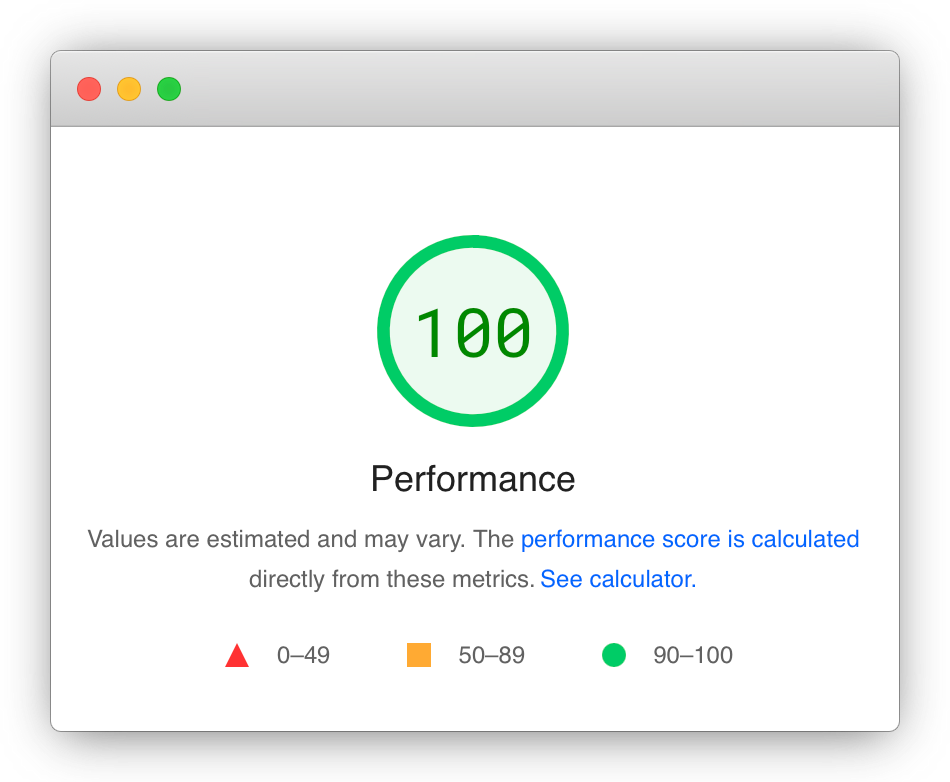
<p>I’ve been using this setup on a production site (coupled with a same-server Alpine JS file) and out of the box you get a pretty favourable Pagespeed using Roda, Puma and Tailwind like this.  A lot of it is down to Roda, but the speed of development and deployment from Tailwind + JIT makes this stack an absolute speed-demon!</p>

<div class="mx-auto w-1/2">

<img src="/assets/images/roda-tailwind-jit.png" alt="Roda and Tailwind JIT" />

</div>

<div class="bg-orange-200 text-center p-2">
If you got this far and are looking for the easy option, you can grab a basic setup from this <a href="https://github.com/kez/roda-tailwind-jit">Github repo</a> to get up and running.
</div>]]></content><author><name>kdobson</name></author><summary type="html"><![CDATA[Getting Tailwind JIT to work with the Ruby Roda framework]]></summary></entry><entry><title type="html">Rails Continuous Deployment with Docker</title><link href="https://www.kdobson.net/2020/rails-docker-continuous-deployment/" rel="alternate" type="text/html" title="Rails Continuous Deployment with Docker" /><published>2020-03-17T00:00:00+00:00</published><updated>2020-03-17T00:00:00+00:00</updated><id>https://www.kdobson.net/2020/rails-docker-continuous-deployment</id><content type="html" xml:base="https://www.kdobson.net/2020/rails-docker-continuous-deployment/"><![CDATA[]]></content><author><name>kdobson</name></author><summary type="html"><![CDATA[]]></summary></entry><entry><title type="html">Alpine.js Todo Demo (with Tailwind)</title><link href="https://www.kdobson.net/2020/alpine-js-todo-demo/" rel="alternate" type="text/html" title="Alpine.js Todo Demo (with Tailwind)" /><published>2020-03-06T00:00:00+00:00</published><updated>2020-03-06T00:00:00+00:00</updated><id>https://www.kdobson.net/2020/alpine-js-todo-demo</id><content type="html" xml:base="https://www.kdobson.net/2020/alpine-js-todo-demo/"><![CDATA[<p>I tinkered with <a href="https://github.com/alpinejs/alpine">Alpine.js</a> after listening to <a href="http://www.fullstackradio.com/132">Full Stack Radio #132</a> where Caleb Porzio (the create of Alpine.js) talked through his rugged and minimal framework.</p>

<p>I didn’t have an immediate need at the time, but more recently I needed a front end framework that could be easily and gradually sprinkled into a Rails app.  I was hungry for Elm, given that it’s touted as a complete front end kit, but unfortunately some of the integrations with existing Javascript behaviour were going to be super challenging.</p>

<p>After researching React/Preact integration into Rails, they seemed like overkill for gradually introducing new behaviour, and that’s when I came back to Alpine.js.  On the surface, the 13 directives and few properties don’t seem like they’ll translate into a useful frontend framework….but you’d be wrong!</p>

<p>The key selling point of Alpine.js - for me - is the ability to start bringing behaviours directly into the markup of a server rendered page.  Alpine will just pickup the markup via the 13 <code class="language-plaintext highlighter-rouge">x-</code> prefixed directives and do its thing.</p>

<p>There is still a learning curve, but nothing compared to the likes of React/Vue.  If you’re a fan of Tailwind, then there’s an added bonus as a lot of the new Tailwind components (see <a href="https://tailwindui.com/components">Tailwind UI</a>) are being refactored from Vue into Alpine.</p>

<p>Examples are still a little harder to come by, so I’ve put together a <em>basic</em> TODO prototype as a full working example of Alpine.js and Tailwind.</p>

<p>There’s a <a href="/alpine-js-todo-demo/">demo here</a> or you can find the <a href="https://gist.github.com/kez/0fa364332fc542e89eb213089c528f8c">Gist here</a> - please feel free to fork and refactor for the benefit of others!</p>]]></content><author><name>kdobson</name></author><summary type="html"><![CDATA[I tinkered with Alpine.js after listening to Full Stack Radio #132 where Caleb Porzio (the create of Alpine.js) talked through his rugged and minimal framework.]]></summary></entry><entry><title type="html">Purging Stale Branches from Gitlab</title><link href="https://www.kdobson.net/2019/purging-stale-branches-from-gitlab/" rel="alternate" type="text/html" title="Purging Stale Branches from Gitlab" /><published>2019-11-15T00:00:00+00:00</published><updated>2019-11-15T00:00:00+00:00</updated><id>https://www.kdobson.net/2019/purging-stale-branches-from-gitlab</id><content type="html" xml:base="https://www.kdobson.net/2019/purging-stale-branches-from-gitlab/"><![CDATA[<p><strong>Please note this post details how to permanently delete branches from Git - make sure you’re comfortable/confident in doing this!</strong></p>

<p>Gitlab has a big red button in the repository branch list to <code class="language-plaintext highlighter-rouge">Delete merged branches</code> which prompts you to be really sure you want to delete them, because there’s no way back.</p>

<p>Unfortunately if you have a backlog of stale branches - say, 500 - then you might be a little nervous about hitting this button…just in case.</p>

<p>Instead of having to click through 25 pages of branch listings, we can use the Gitlab API to pull out our branches, pipe them through <code class="language-plaintext highlighter-rouge">jq</code> and pick out the branches we want to delete.  Branches can then be deleted from the git CLI and hopefully the branch backlog starts to get a little clearer.</p>

<p>You’ll need a couple of things to get started:</p>

<ul>
  <li><em>Personal Access Token</em> to pass through the API - find it via the “Access Token” submenu from your “Settings” page (find this by clicking your profile menu in the top right).  The token needs to have <code class="language-plaintext highlighter-rouge">api</code> permissions</li>
  <li><em>Project ID</em> for the project with the stale branches. This is shown <code class="language-plaintext highlighter-rouge">Project ID: NNNNNNNN</code> at the top of your repo’s front page or in “Settings &gt; General”</li>
  <li>Something to submit the API request and save the JSON response(s)</li>
  <li>The <code class="language-plaintext highlighter-rouge">jq</code> utility to query the data</li>
  <li>Git CLI to push branch deletions</li>
</ul>

<h2 id="getting-your-branch-list-by-api">Getting your branch list by API</h2>

<p>It’s quite straight forward, but there’s a limit on how many branches are returned so you need to page through the results (the API returns <code class="language-plaintext highlighter-rouge">Link</code> fields in the header).</p>

<p>Using the <a href="https://docs.gitlab.com/ee/api/branches.html">Branch endpoint</a> you can get your branch list with the following</p>

<figure class="highlight"><pre><code class="language-bash" data-lang="bash">curl <span class="nt">--header</span> <span class="s2">"PRIVATE-TOKEN: &lt;your_access_token&gt;"</span> https://gitlab.example.com/api/v4/projects/&lt;your_project_id&gt;/repository/branches?per_page<span class="o">=</span>100&amp;page<span class="o">=</span>1</code></pre></figure>

<p>100 seems to be the largest set we can get back, so inspect your <code class="language-plaintext highlighter-rouge">Link</code> field in the header to see how many you need to get and increment the <code class="language-plaintext highlighter-rouge">page</code> URL accordingly.  For demonstration purposes, the JSON bodies of these requests can be saved to <code class="language-plaintext highlighter-rouge">response-N.json</code> where <code class="language-plaintext highlighter-rouge">N</code> is the page number.</p>

<h2 id="merging-the-json-files">Merging the JSON files</h2>

<p>The <code class="language-plaintext highlighter-rouge">jq</code> tool can happily merge files:</p>

<figure class="highlight"><pre><code class="language-bash" data-lang="bash">jq <span class="nt">-s</span> <span class="s1">'.[]'</span> response-<span class="k">*</span>.json <span class="o">&gt;</span> all.json</code></pre></figure>

<p>…Will merge the contents of each response array and put them into a single array under <code class="language-plaintext highlighter-rouge">all.json</code>.  This makes it a bit easier to to query out.</p>

<h2 id="extracting-the-relevant-fields">Extracting the relevant fields</h2>

<p>Because we’re looking to purge out really stale branches, we’ll pull out the branch name and committed date so we can sort the list</p>

<figure class="highlight"><pre><code class="language-bash" data-lang="bash">jq <span class="nt">-r</span> <span class="s1">'.[] | .commit.committed_date + "," + .name'</span> all.json | <span class="nb">sort</span></code></pre></figure>

<p>This will create a list of oldest branches first - commit date and name separated by a comma.  You can even add on a <code class="language-plaintext highlighter-rouge">| pbcopy</code> pipe if you’re on Mac and ready to paste these elsewhere.</p>

<h2 id="analysing-stale-branches">Analysing stale branches</h2>

<p>I’ve simply pasted these into a spreadsheet, split the text into columns and confirmed the dates and branches of names I want to delete.  You can add a handy third column to generate the git command for you.</p>

<figure class="highlight"><pre><code class="language-text" data-lang="text">="git push origin --delete " &amp; B2</code></pre></figure>

<p>This should yield a command <code class="language-plaintext highlighter-rouge">git push origin --delete feature/name</code>.  Running this git command in your repo/directory will trigger a remote delete of the branch and you’re on your way to cleaning up your stale branch backlog.</p>]]></content><author><name>kdobson</name></author><summary type="html"><![CDATA[Please note this post details how to permanently delete branches from Git - make sure you’re comfortable/confident in doing this!]]></summary></entry></feed>